For buildings and businesses
Turn the TV you already have into an information screen
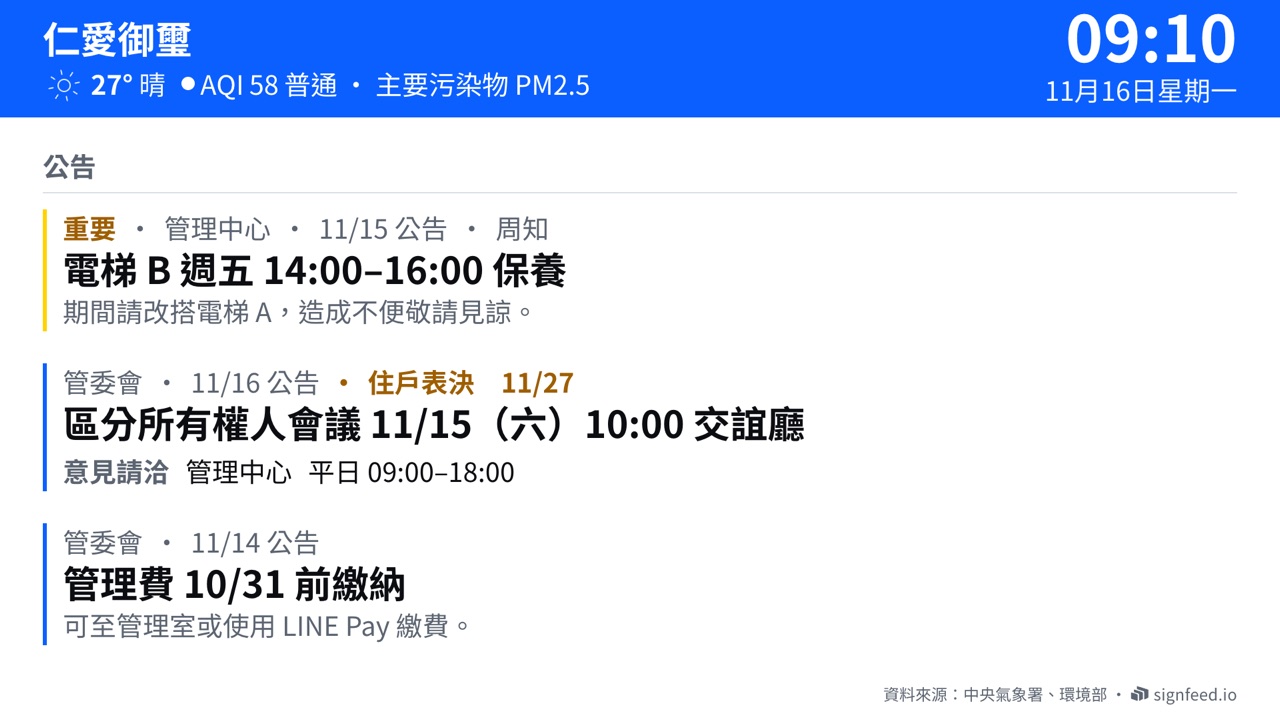
What residents, staff and customers need to know, on one clear screen. Managers post the building's own notices; transit and weather update automatically.
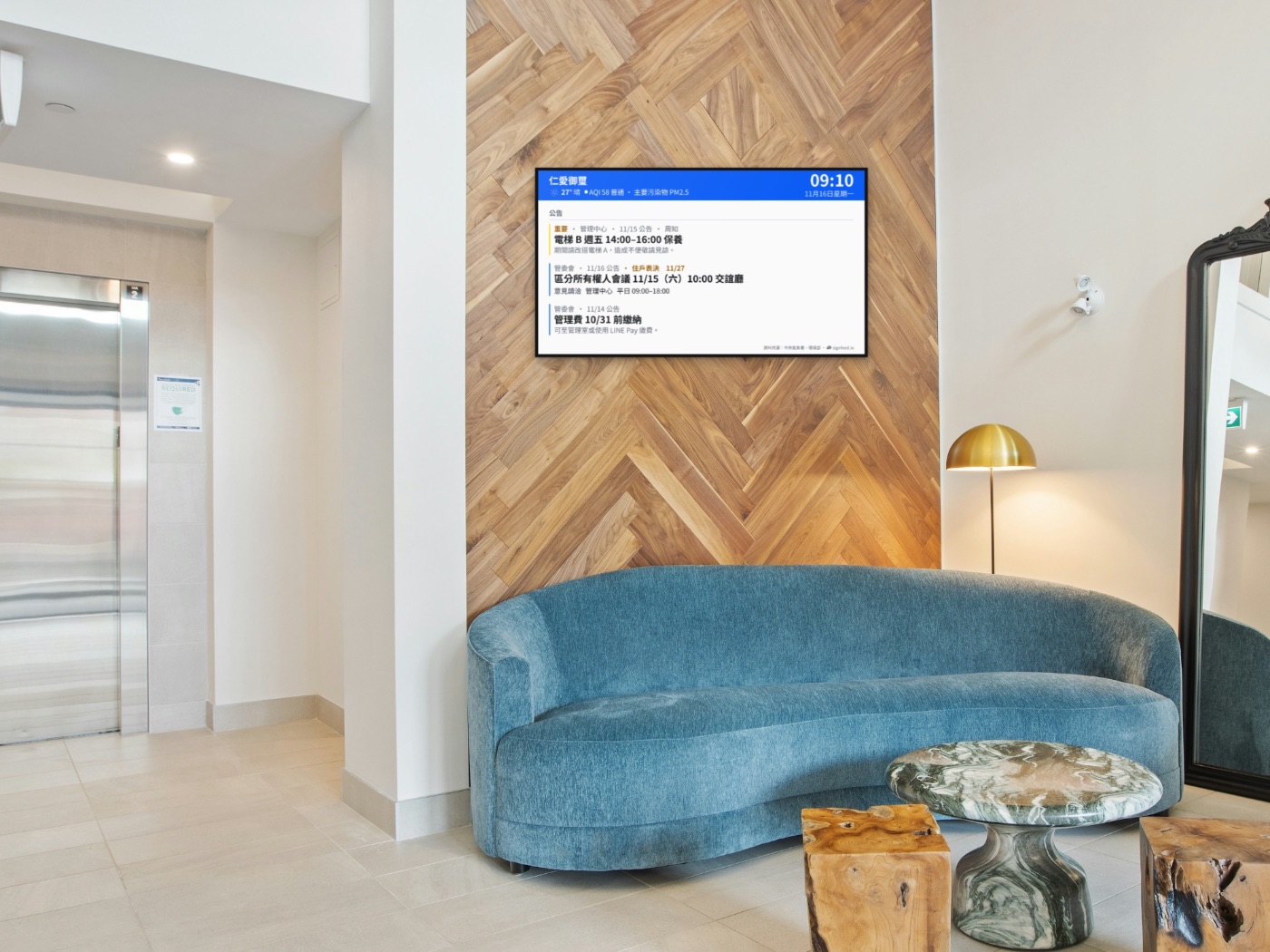
What's included
From the screen to its management
- Screens for each kind of placeNotices, transit, weather, queues, menus and meeting rooms, combined to suit the venue.
- Managed from a phonePost notices in the app or LINE, without going to the screen.
- Screen monitoringIf a screen goes offline, managers are alerted in the app.
- Scan to take partPolls, sign-ups and feedback in the phone's browser, with no app to install.
- Your brandSet the logo, colours and type for a consistent look.
Getting started
From first call to on air
Call and site visit
We learn about the place, where the TV goes and what it should show.
Install the player
A small player goes behind the TV, connected to power and the internet.
Set up your managers
We create their accounts and show them how to post from the app and LINE.
On air
The screens start playing; transit and weather keep themselves current.
Plans
Planned around your place
Choose no ads, or play ads and share the income; ads are always labelled and capped each loop. Call us about fees and the share.
- What do we need?
- A TV with HDMI, power, and the internet (Wi‑Fi or a cable). We supply the player.
- Who can post?
- The managers you name, from the app or LINE.
- Can the screens carry our brand?
- Yes. Logo, colours, type and the look of the screens can all be set.
- Do residents or customers need an app?
- No. They scan the code on the screen and it opens in their phone's browser.
Contact
Want one in your building or business?
Add us on LINE. We'll learn about the place and what it needs, then come and look. Our address and other contact details are on the About us page.
